The whining of stepper motors, the buzzing of fans, and the motion of bearings in a 3D printer can be noisy. This issue becomes more prominent when you have to work in the same room as your printer. And considering a print job can last anywhere from a couple of hours to days, this noise starts to get annoying.
Fortunately, modern 3D printers are quite quiet compared to their predecessors. Trinamic drivers, improved motion systems, and specially designed cooling systems reduce the noise quite a bit. Some printers have become so quiet that it’s easy to forget they’re even operating.
This guide brings you six of the quietest 3D printers of 2024 to silence your rooms. We’ve included printers available at various price points and with diverse features. No matter your needs, you can enjoy 3D printing.
Let’s hush our printers and get ready to print in peace!
| Printer Name | Build Volume | Noise (dB) | Price |
|---|---|---|---|
| Creality Ender 3 V3 SE | 220 x 220 x 250 mm | <50 dB | $199 |
| Bambu Lab A1 Mini | 180 x 180 x 180 mm | <48 dB | $299 |
| Flashforge Adventurer 5M Pro | 220 x 220 x 220 mm | <50 dB | $499 |
| Elegoo Neptune 3 Max | 420 x 420 x 500 mm | <50 dB | $399 |
| BIQU Hurakan | 220 x 220 x 270 mm | <50 dB | $389 |
| Voron 2.4 R2 (Rev C) | 300 x 300 x 300 mm 350 x 350 x 350 mm | <50 dB | $1444 |

Why Do Noise Levels Matter in 3D Printing?
When it comes to 3D printing, the noise level of the printer can have a significant impact on your productivity and comfort level while working. Loud printers can be distracting and make it challenging to engage in conversations or concentrate on tasks.
Furthermore, prolonged exposure to high noise levels can lead to fatigue, headaches, and even hearing damage. On top of that, the wide range of frequencies that 3D printers output is difficult to muffle with things like hearing protection.
The noise of a 3D printer can also be more troublesome in shared workspaces and living areas. These loud printers can disturb others, causing frustration and potentially affecting their work or sleep quality.
In conclusion, the noise level of your 3D printer is not just a minor inconvenience. It is a critical factor to consider for your comfort, productivity, and overall well-being. Whether you’re working solo or sharing your space, a quieter 3D printer can significantly enhance your work environment. Remember, a peaceful workspace is a productive workspace!
Factors Contributing to a Quiet 3D Printer
There are four primary factors that contribute to the noise of a 3D printer. Let’s go over each of them in brief.
Stepper Motors
Stepper motors are responsible for all the motion in a 3D printer. These motors can generate significant noise, especially at high speeds and accelerations. The noise is often a combination of mechanical vibrations and electrical noise from the motor drivers.
In quiet 3D printers, you get specifically tuned silent or ultra-quiet stepper motor drivers that use advanced control algorithms to minimize the noise. Additionally, some printers use vibration dampeners or elastic couplings to reduce the transfer of vibrations from the motors to the frame.
Cooling Fans
3D printers need cooling fans to regulate the temperature of the hot end, electronics, and other critical heat-generating components. However, these fans are also a significant source of noise. Particularly if they are small, low-quality, and/or operating at high speeds.
You’ll often see detailed duct designs and optimized cooling fans with high-quality bearings to reduce turbulence and noise output. Some printers vary the speeds of the cooling fans, allowing the fans to run at lower speeds when possible to minimize noise levels.
Printer Frame and Enclosure
Rigid frames made of high-quality materials, such as metal or carbon fiber, can help dampen vibrations more effectively. These materials help to reduce resonance and minimize noise amplification.
Additionally, enclosed 3D printers can provide an added layer of noise reduction by containing the sound within the enclosure. The enclosure acts as a barrier, absorbing and reflecting sound waves to create a quieter overall operation.
Vibration Dampening
Vibrations due to the moving components within a 3D printer can contribute significantly to noise levels. You’ll often notice 3D printer manufacturers using specialized anti-vibration mounts and damping materials (e.g., rubber or silicone) in their printer frames.
Even on the software side, some machines, like Klipper-supported printers, use advanced motion control algorithms to minimize vibrations. These algorithms fine-tune the movement of the printer, particularly at high speeds, to reduce the vibrations and maintain good print quality.
The Quietest 3D Printers in 2026

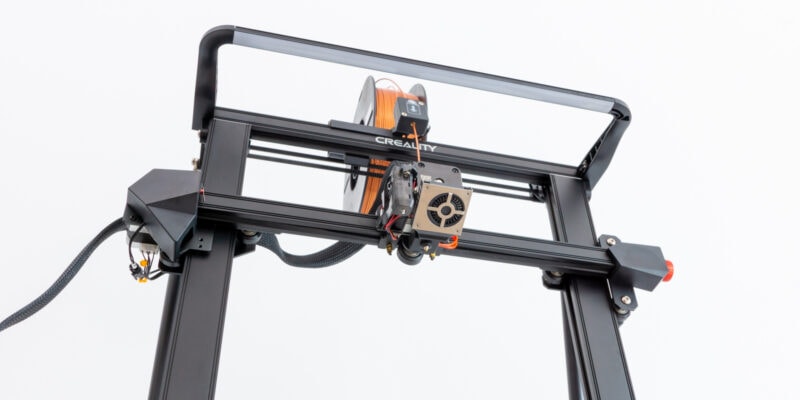
The Creality Ender 3 V3 SE is a third-generation printer in the Original Ender 3 series and comes with impressive features for its price. For $200, you get plenty of goodies packed in a sleek-looking and quiet machine.
Like its predecessors, this printer has a standard build volume of 220x220x250 mm. You get dual lead screws on the Z-axis and linear bearings on the Y-axis for better stability. Coupled with its modest build size, you can expect excellent print quality on basic 3D prints. For example, small toys, enclosures, and masks for cosplays.
The company has introduced the strain-gauge system from the Creality K1 into the V3 SE. It automates the Z-offset process for the first layer and delivers more precise results than using a manual offset.
Additionally, the printer features Creality’s CR-Touch leveling sensor on the printhead. Together, we’ve found these elements to give you a perfect first layer and excellent adhesion on 3D prints.
The noise levels on the V3-SE are acceptable as well. The printer typically operates below 50dB, and you won’t be uncomfortable working around it. However, it has a small LCD screen and plasticky construction as drawbacks to consider.
There are loads of other features as well, which we’ve discussed in our review of the Ender 3 V3-SE. The overall conclusion is if you want a quiet budget 3D printer with excellent print quality, the V3-SE is a great pick for many users.
Standout Features
- Dual Z-axis
- Auto filament loading and unloading
- Linear rails on Y-axis
Technical Details |
|
|---|---|
| Build volume | 220 x 220 x 250 mm |
| Max nozzle temperature | 260 °C |
| Operating Noise | <50 dB |
| Material support | PLA, ABS, PETG, TPU(95A) |
| Connectivity | USB-C, microSD card |
What We Like
- Affordable price
- Good print quality
- Easy assembly
- Automatic Z-offset
Could Be Better
- Small LCD screen
- Plasticky construction

Bambu Lab 3D printers have been making a lot of “noise” lately, and the A1 Mini is no exception. It is the cheapest Bambu Lab 3D printer and is geared toward budget-conscious and first-time 3D printer users.
The A1 mini features a distinctive cantilever design akin to that of the Prusa Mini. The cantilever style keeps the footprint and cost of the printer low; however, you have to compromise on the build size. The 180 x 180 x 180 mm build area is excellent for small models, toys, and figurines but not for bigger 3D prints.
One of the most advanced features of the A1 Mini is its complete auto-calibration system. The printer automatically calibrates various parameters like the Z-offset, bed level, and vibration resonance before every print cycle. It greatly improves the user experience for a beginner while reducing the chances of ruined prints.
When the A1 Mini’s fans run at around 50-60% of their maximum speeds, there’s hardly any noise, and you can comfortably work next to the printer. The Active Motor Noise Canceling works very well to reduce the whining of the stepper motors and keep noise levels in check.
The A1 Mini comes fully pre-assembled and has a user-friendly touchscreen display. It also offers the flexibility to print in multi-color and with exotic filaments using the AMS lite add-on. At a price of $299.00 USD, the Bambu Lab A1 Mini is fast, delivers high-quality, and provides an excellent opportunity to learn the ropes of 3D printing for beginners.
Standout Features
- Multi-color 3D printing
- Complete auto-calibration
- 500mm/s print speeds
Technical Details |
|
|---|---|
| Build volume | 180 x 180 x 180 mm |
| Max nozzle temperature | 300 °C |
| Operating Noise | <48 dB |
| Material support | PLA, PETG, TPU, PVA |
| Connectivity | Wi-Fi, micro SD card |
What We Like
- Plug-n-play operation
- Easy and intuitive user experience
- Phone app for convenience
- Excellent print quality
Could Be Better
- High price
- No customization options
- AMS unit takes up extra space
The Flashforge Adventurer 5M Pro is a top-of-the-line 3D printer that operates quietly. It produces noise levels of less than 50dB thanks to its construction.
For example, the CoreXY motion and its steel frame keep the vibrations to a minimum to reduce noise during 3D printing. Additionally, as the print area and all the components are fully enclosed, you don’t hear much noise during printing.
Besides the low noise, the 5M Pro features fully automatic bed leveling and Flashforge’s typical quick-release nozzle system. It allows you to switch nozzles in a snap to choose different nozzle sizes or materials for better compatibility with various filaments and models.
Flashforge has also fitted the printer with an excellent air-filtration and circulation system. The printer has HEPA and carbon-activated filters to reduce the effects of harmful 3D printer fumes. This allows you to keep the printer in your living or working areas without having to worry about toxic VOCs.
However, the webcam of the 5M Pro has a low resolution of 640 x 480 pixels, which is not up to par with its other advanced features. Additionally, the closed hardware ecosystem of the 3D printer can make it pricey when you need to repair any faulty parts.
Overall, the Adventurer 5M Pro is one solid 3D printer. For $499.00, it offers great value for your money and is a great printer for households, educational institutes, and small businesses.
Standout Features
- All-metal CoreXY frame
- Dual-channel cooling
- Quick nozzle change
Technical Details |
|
|---|---|
| Build volume | 220 x 220 x 220 mm |
| Max nozzle temperature | 280 °C |
| Operating Noise | <50 dB |
| Material support | PLA, ABS, ASA, PETG, TPU, PLA-CF, PETG-CF |
| Connectivity | USB Disk, WiFi, Ethernet |
What We Like
- Fully enclosed print area
- Fast print speeds
- HEPA and carbon filtration systems
Could Be Better
- Poor webcam video feed
- Expensive nozzle replacements
Large 3D printers come in handy to print those cosplay helmets, swords, armor, and scaled-up 3D models. Elegoo’s Neptune 3 Max is one such large 3D printer with a mammoth-sized build area of 420 x 420 x 500 mm but still as silent as can be.
The printer uses an STM-based 32-bit silent motherboard with quiet stepper drivers. These drivers help keep the noise of stepper motors low, with the overall operating noise being below 50dB while printing.
What’s more, the Elegoo 3 Max features an impressive 63-point auto-bed leveling setup. This ensures that the print bed is leveled perfectly throughout its print area. For more control and precision, there are also manual knobs below the bed as well.
Its PEI print bed is excellent for large models as the prints stick well and come off quickly. The bed heats up to 60 °C in around 5 minutes, which is impressive for its size. The dual-gear direct extruder and removable touch screen are some of the other remarkable features that enhance the usability of the 3 Max.
The main downside is the printer’s giant footprint, but to be fair, that’s expected with such a large build size. And for $399.00, it is nothing but impressive.
If you’re someone who regularly prints large models or carries out batch 3D printing, the Neptune 3 Max will suffice your needs and then some.
Standout Features
- Extensive build volume
- 63-point leveling system
- Dual-gear direct drive extruder
Technical Details |
|
|---|---|
| Build volume | 420 x 420 x 500 mm |
| Max nozzle temperature | 260 °C |
| Operating Noise | <50 dB |
| Material support | PLA, TPU, PETG, ABS, ASA |
| Connectivity | TF card, USB cable |
What We Like
- Fast heating times
- One-click auto-leveling
- Removable touchscreen display
- Economical pricing
Could Be Better
- Massive footprint
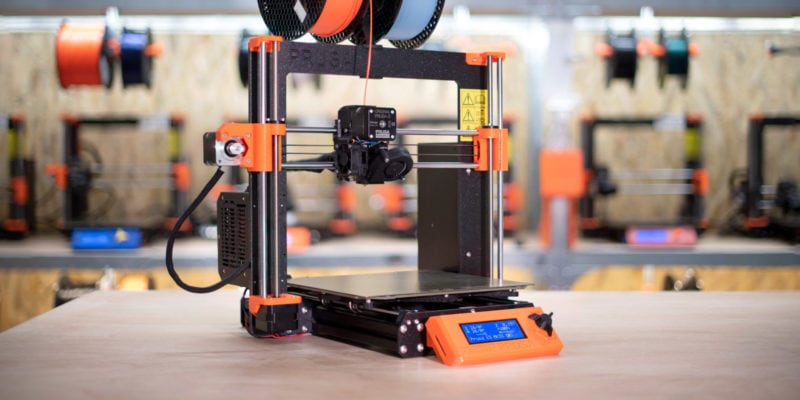
The BIQU Hurakan is a Klipper 3D printer for all those who love fast print speeds. It features a simple Prusa i3 style design and comes at a relatively affordable price point. At $389, the Hurakan brings plenty to the table and offers a great return on your investment.
For starters, the printer comes with Klipper firmware right out of the box. You get a maximum print speed of 180 mm/s, which is limited in the firmware for better print quality. It might not sound that fast, but in practice, it is more than twice what non-Klipper printers operate at.
The TMC2209 stepper drivers contribute to the silence of the printer and keep the noise levels similar to a mild conversation. The printer’s fans can get loud at full speed, so it’s a good idea to limit their duty cycle in moments where silence is a priority.
The BIQU Hurakan also features impressive connectivity options. For example, you get an SPI interface for the accelerometer, an Ethernet port, dual USB ports, and a built-in WiFi module. It is rare to see so many options in a printer of its price.
While there may be a slight learning curve for first-time Klipper users, the pre-configured nature of the printer makes things easier. You won’t have to resort to using KIAUH or go through the Klipper installation yourself.
If you’re looking for a silent 3D printer with fast print speeds and a Klipper experience, the BIQU Hurakan is an excellent option.
Standout Features
- Klipper-ready 3D printer
- Selective bed heating
- TMC 2209 stepper drivers
Technical Details |
|
|---|---|
| Build volume | 220 x 220 x 270 mm |
| Max nozzle temperature | 260 °C |
| Operating Noise | <50 dB |
| Material support | PLA, TPU, PETG, ABS, ASA |
| Connectivity | USB, Ethernet, WiFi |
What We Like
- Remote 3D printing functionality
- Built-in port for accelerometer
- Easy assembly with modular design
- RGB lighting on the print head
Could Be Better
- Cannot use SD card slot
- Slow boot-up speeds
- Small LCD screen

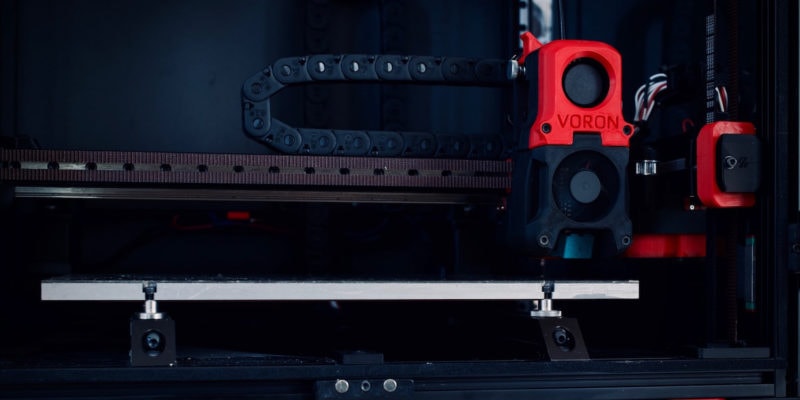
If you love building things, customizing printers, and want everything personalized to your preferences, the Voron 2.4 kit might be your 3D printer. It is based on the Voron project, which you can buy as a kit and build yourself.
The Voron 2.4 kit comes with premium components that can help you achieve superior print quality. You get linear rails on all three axes, a fully enclosed build chamber, an E3D Revo hot end along with a Bondtech extruder.
The benefit of buying a DIY 3D printer kit is that you can customize the noise-making elements of the machine. For example, use Noctua fans to keep the sounds low and silent stepper drivers for the precise and quiet motion of the stepper motors.
The LDO Voron 2.4 kit, specifically, comes with various add-ons and customization options. You can choose to 3D print your own parts (using a different machine), or just buy them directly online. This gives you the flexibility to lower your costs and still be able to select a high-quality 3D printer.
However, it’s important to note that the Voron 2.4 is not a beginner’s 3D printer and requires prior experience with 3D printing and Klipper firmware.
Also, with a starting price of around $1444, it’s one of the more expensive options out there. But if you want a quiet 3D printer with high-end specifications that delivers great print quality, the Voron 2.4 is worth considering and paying for.
Standout Features
- Open-source design
- Premium components
- Wide scope for customization
Technical Details |
|
|---|---|
| Build volume | 300 x 300 x 300 mm 350 x 350 x 350 mm |
| Max nozzle temperature | 300 °C |
| Operating Noise | <50 dB |
| Material support | PLA, ABS, PVA, HIPS, PETG, TPU, Nylon, PC, Carbon Fiber |
| Connectivity | SD card, USB |
What We Like
- Fully enclosed print area
- Extensive support community
- Fast printing speeds
- Easily scalable print area
Could Be Better
- Needs technical expertise
- Limited kit availability
How Do I Make My 3D Printer Silent?
While the printers listed above are specifically engineered for quiet operation, there are several solutions available to make existing 3D printers quieter. You can individually upgrade the noise-making elements in your printers to reduce the sound levels.
For instance, you can consider upgrading to silent stepper drivers like the TMC 2208/2209’s for better microstepping and reduced noise. You can also install Noctua cooling fans for the hot end and part cooling, which are more expensive but operate quietly while being more effective at cooling. Not to mention, they have a longer lifespan.
Regarding mechanical upgrades, linear rails offer the quietest motion and are the most precise. Replacing linear rods with them is always a good idea, provided that your budget allows for it.
A 3D printer enclosure with sound-dampening materials also helps reduce the noise significantly. You can find additional information and suggestions in the article linked at the beginning of this section.
Are Enclosed 3D Printers Quieter?
Yes, enclosed 3D printers tend to be quieter than their open-frame counterparts. Enclosures act as sound-dampening barriers and keep the noise generated by the printer’s moving parts and cooling fans within the print area.
Additionally, enclosures help maintain a stable temperature inside the build chamber. If you have struggled with things like ABS warping, this is something you’ll appreciate.
Is a Silent 3D Printer Worth It?
A silent 3D printer has noise-reducing features like silent stepper drivers, better cooling components, a more rigid frame, or even an enclosure. These features often bump up the machine’s cost and aren’t feasible for those on a tight budget.
Moreover, if you have a separate work area for 3D printers, these ‘silent benefits’ won’t matter much. But, for professionals, hobbyists, or anyone working in shared spaces or noise-sensitive environments, the benefits of a quiet printing experience can outweigh the additional expense.
Therefore, the value of a silent 3D printer depends on your specific needs. If you value a peaceful working environment, investing in a quiet machine can be worthwhile.
However, if you have the option of a separate 3D printing space or you aren’t bothered by printing sounds in the first place, it’s perfectly fine to ignore the noise aspect.
Conclusion
Quiet 3D printers can be a boon for those who prefer silence. You don’t need to hear the whining of the steppers or the buzzing of the fans. Additionally, if you’re working in a shared space, silent 3D printers are practically a must-have.
For a budget-conscious user, the Ender 3 V3-SE is the quietest 3D printer you can get. It has the legacy of the Ender 3 series, and for $200, you get excellent print quality as well. It’s a good purchase for schools, hobbyists, and home use.
Bambu Lab’s A1 mini, on the other hand, is a great mix of functionality and ease of use. It is silent, rich with features, and allows you to print in multiple colors with the AMS add-on. For beginners, the printer is especially suitable for those who are looking for multi-color 3D printing.
However, if you prefer an enclosed 3D printer, the Flashforge Adventurer 5M Pro is a good choice. It has a sleek design, the noise is all contained inside and delivers reliable print quality out of the box.
Let us know which one of these silent 3D printers you would like to use in your workspace. If you have any questions or suggestions, feel free to comment below, and we will be glad to answer them.